
Why Are My Dog Pictures Always Blurry? (And How to Fix It)
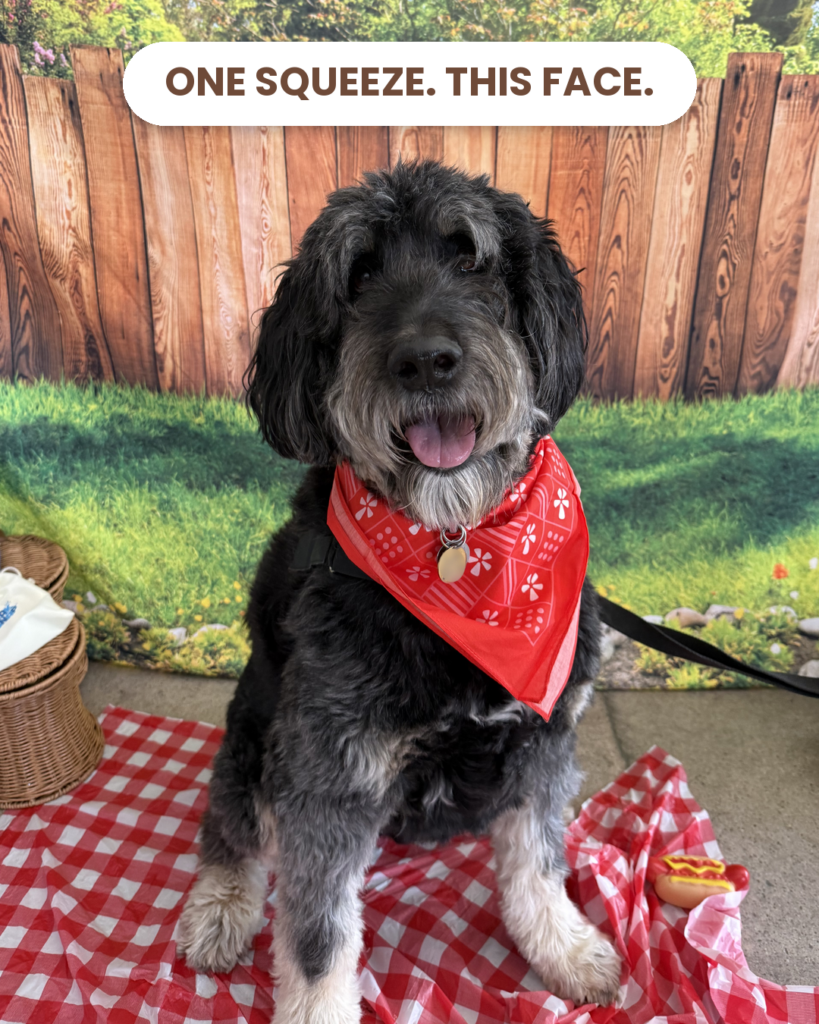
Blurry dog photos almost always mean one of three things: your dog moved, your phone moved, or the light was too dim and the camera slowed down to compensate. Move toward window light, walk closer instead of zooming, lock focus on the eyes, and take the photo at the one moment your dog goes still. Squeak N Snap is built for that last part – one squeeze of the handheld squeaker makes your dog freeze and look, and the Bluetooth shutter fires at the same instant, without your finger ever pushing on the phone.
At a rescue adoption event, a volunteer handed me her phone and said, “Tell me what I’m doing wrong.” She scrolled. And scrolled. A brown smear with a tail. A sharp photo of the grass next to a brown smear. One very crisp ear.
Her phone was fine. Newer than mine, actually. The problem was that every single photo was taken a half second after the dog had already decided to be somewhere else.
That’s the thing nobody tells you about blurry pet photos. It feels like a camera problem, so people go looking for a better camera. Almost always, it’s a timing problem, with a light problem sitting right behind it.
First, figure out what kind of blur you have
Pull up your last blurry photo and look closely. The blur itself tells you what went wrong.
7 fixes for blurry dog photos
1. Wipe the lens before anything else
Your phone lives in a pocket, a purse, and your hand, often while you’re holding a leash and a bag of treats. The lens picks up fingerprints and a thin film of lint that turns every photo slightly dreamy. Wipe it with a soft cloth or the hem of a cotton shirt before you start. It won’t fix motion blur, but it clears the haze that makes a sharp photo look soft.
2. Take the photo where the light is
This is the big one indoors. When a room is dim, your phone quietly keeps the shutter open longer to gather light, and anything that moves during that time smears. Dogs move constantly, even when they’re “sitting.”
Put your dog near a big window during the day, facing the light rather than with the window behind them. Outside, open shade or an overcast sky is ideal. And if your phone switches into Night mode on its own, turn it off for pet photos. Night mode is wonderful for a still skyline and terrible for anything with a tail.
3. Walk closer instead of zooming
Pinching to zoom is mostly cropping. You’re enlarging a small piece of the image, and you enlarge the blur and grain right along with it. Stick to the zoom buttons your phone actually labels (1x, 2x and so on), which usually switch to a real lens, and use your feet for everything in between.
4. Lock focus on the eyes
Phones love to focus on the nearest thing, and on a dog the nearest thing is the nose. On an iPhone, press and hold on your dog’s eye until you see AE/AF Lock. Most Android phones have a similar press-to-focus option. Now the focus stays put even if your dog shifts a little.
5. Be careful with Portrait mode on active dogs
Portrait mode blurs the background with software, and fur is hard for that software to read. Whiskers and ear edges get smudged, and a dog who moves while Portrait mode is processing often comes out soft. Use it for a calm, settled dog. For anyone with energy, regular photo mode is sharper.
6. Stop pushing on the phone
Watch your hands next time you take a photo. One hand holds a treat or waves a toy, and the other hand is holding the phone and pressing the shutter with a thumb. That press nudges the phone at exactly the wrong moment. A Bluetooth shutter fixes it completely: the photo fires and nothing touches the phone.
7. Take the photo during the still moment
This is where most advice goes wrong. The usual suggestion is to hold the button down, take forty photos, and hope one is sharp. That’s how you end up with the 47-Photo Problem: a camera roll full of almost-photos and no keeper.
What you actually want is one moment where your dog stops moving. Dogs give you that moment every time they hear a new, unexpected sound. The head turns, the body goes still, and for about a beat they are frozen and looking right at you. That’s the orienting reflex, and it’s the reason Squeak N Snap works.
The trick is catching it. Make the sound first and then press the button, and you’ve already missed it. That’s the volunteer’s camera roll.
How Squeak N Snap fixes blur
Squeak N Snap is a handheld camera accessory: a plush squeaker (Murph the monkey) with a Bluetooth camera shutter inside. You hold your phone in one hand and Murph in the other, right beside the lens. One squeeze makes the squeak and fires the photo at the same instant.
That takes out two of the biggest causes of blur at once. Your dog is frozen mid-head-turn when the photo happens, because the sound and the shutter are the same event. And your thumb never presses the phone, so the phone doesn’t move. Add decent light and you get one sharp photo from one squeeze, not a pile of maybes to sort through later.
If you’re curious about the setup, here’s exactly how Squeak N Snap works. And if you have a dark-coated dog, blur and lost eyes tend to show up together, so read how to photograph a black dog next.
Get the 5 Rules for Amazing Dog Photos
The short guide we hand out at demos and rescue events. Five things that separate a keeper from another near miss. Free, straight to your inbox.
Frequently asked questions
Why are my dog photos blurry indoors?
Indoor light is usually much dimmer than it looks, so your phone keeps the shutter open longer to collect light. Any movement during that time, from your dog or your hand, shows up as blur. Shoot near a bright window during the day, face your dog toward the light, and turn off Night mode for pet photos.
How do I take sharp photos of a dog that won’t sit still?
Don’t try to keep up with the movement. Create a still moment instead. A new, unexpected sound makes a dog stop and turn toward it for about a beat. If the photo fires at that instant, the dog is still. Squeak N Snap does this with one squeeze: the squeaker sounds and the Bluetooth shutter fires together.
Should I just take a lot of photos and pick the sharpest one?
It rarely works the way people hope. Shooting dozens of frames of a moving dog usually produces dozens of slightly different blurry photos, and a camera roll you never go back through. One photo taken at the right moment beats forty taken at random ones.
Does a Bluetooth shutter help with blurry photos?
Yes. Pressing the on-screen shutter button nudges the phone as the photo is taken, which softens the whole image. A Bluetooth shutter fires the camera without touching the phone. Squeak N Snap puts that shutter inside a handheld squeaker, so the same squeeze that gets your dog’s attention also takes the photo.
Is my phone too old to take sharp dog photos?
Probably not. Most phones from the last several years can take sharp dog photos in good light. Blur usually comes from timing, low light, a dirty lens or shaky hands, not the camera itself. Fix those before you spend money on a new phone.
Why is my dog’s nose sharp but the eyes blurry?
Your phone focused on the closest part of the dog, which is usually the nose. Press and hold on the eyes to lock focus there, step back slightly so the whole face sits in the same focus range, and avoid Portrait mode on dogs who are moving.
If you remember one thing, make it this: blur isn’t a gear problem you solve with a nicer phone. It’s a light problem and a timing problem. Fix the light with a window. Fix the timing with one squeeze.
Squeak N Snap fires your phone’s camera at the exact moment your dog looks. See the Joy Capture Kit
Mom-in-Chief at Squeak N Snap. Her photography experience comes from demos, rescue events, product testing, and three kids who never sit still.